ESCs
F4F Custom ESC
The F4F ESC is a single motor controller based on the AM32 firmware. It features a 10-layer PCB with 2oz copper to achieve low electrical resistance.
Key Specifications:
- Supports up to a 6S battery, with components rated for up to 35V.
- Handles sustained currents of more than 50A.
- Supports telemetry with on-board voltage and current measurement capabilities.
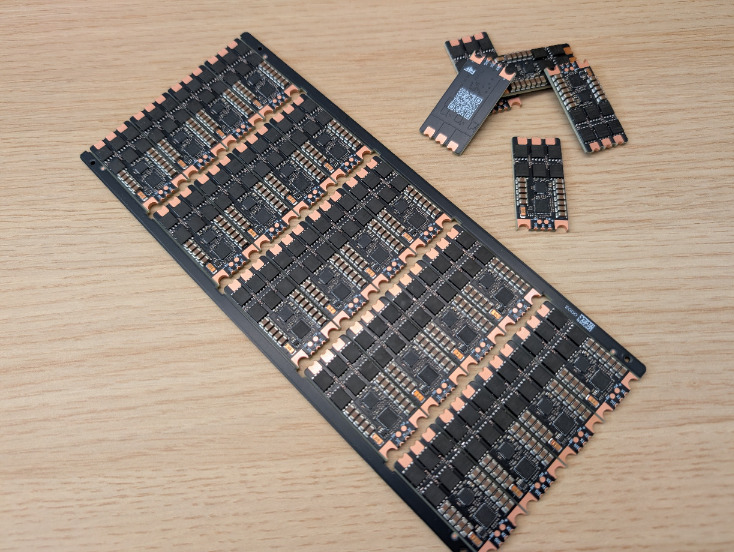
Note on Manufacturing: The September 2026 batch of ESCs was ordered with an OSP surface finish, which is not optimal. An ENIG surface finish is highly recommended for future batches.
ESC Bringup
The ESCs arrive from the PCB manufacturer without any firmware loaded on the STM32F051 MCU. You must first load the AM32 bootloader before soldering the ESC to the PCB, and then proceed with flashing the AM32 firmware.
1. Bootloader Flashing
Prerequisites Install the necessary toolchains:
sudo apt install stlink-tools gcc-arm-none-eabi
Hardware Setup The bootloader is flashed via an ST-Link using the SWDIO and SWCLK programming pins. Supplying 5V directly from the ST-Link to the VBAT pin of the ESC is sufficient to power the board for flashing. To facilitate programming, you can use a 3D-printed jig to perfectly align pogo pins over the ESC's programming pads.
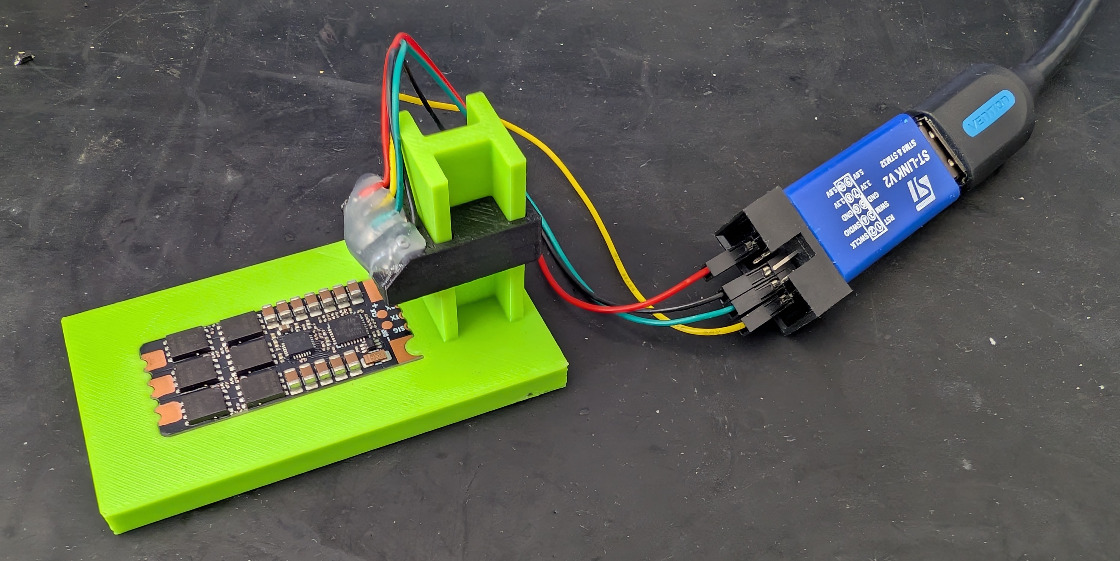
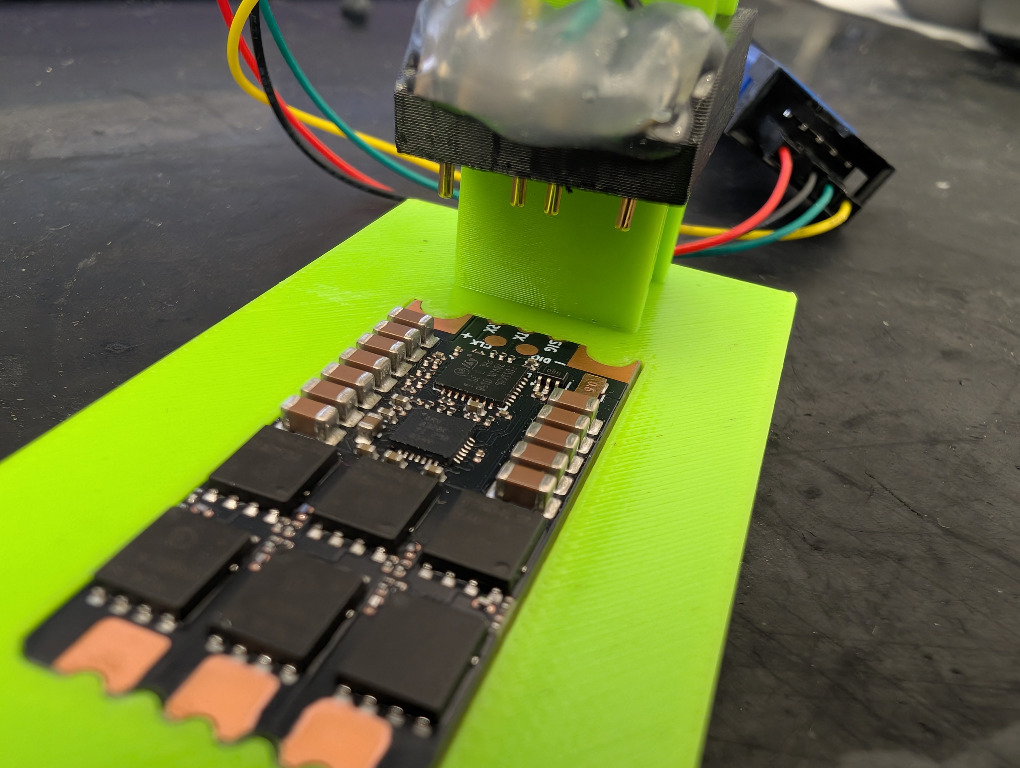
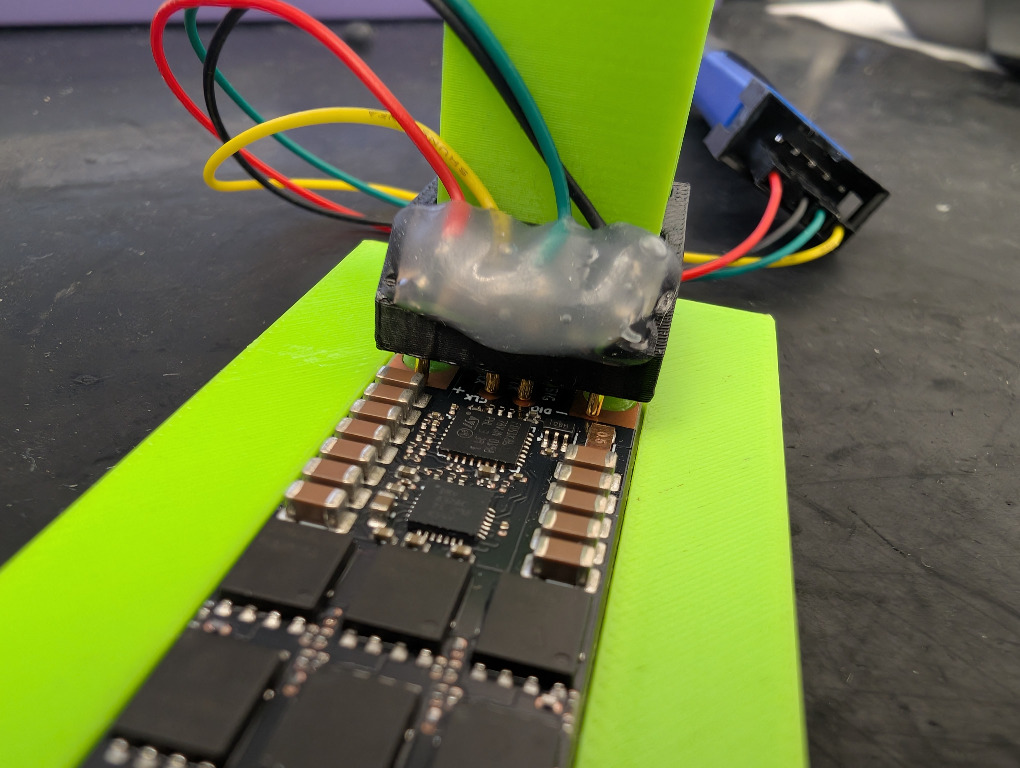
Preparing the Firmware The target bootloader is the standard AM32 bootloader for the F051 MCU, utilizing the PB4 pin. Official releases can be found on the AM32 Bootloader GitHub.
Because the official bootloaders are provided as .hex files and a .bin file is required, you must convert the file using this command:
arm-none-eabi-objcopy -I ihex -O binary firmware.hex firmware.bin
Alternatively, you can download this pre-compiled, working bootloader directly: AM32 Bootloader V17.bin
Flashing Connect the ST-Link to the ESC and run the following command to flash the bootloader:
st-flash write AM32_F051_BOOTLOADER_PB4_V17.bin 0x8000000
Observe the output in your terminal to confirm the bootloader flashed successfully.
2. AM32 Firmware Flashing
Once the bootloader is flashed, all further configuration is performed over the single signal pin (the throttle signal pin). At this point, the ESC can be safely soldered to the drone board.
Connecting to the ESC You will need an Arduino programmer to connect to the ESC. If you do not have one, follow the Pin 3 Link Guide to set it up.
Open the AM32 Configurator in a browser that supports serial ports, such as Chrome. Select the appropriate serial port, connect, and read the ESC configuration. The initial values will likely appear as garbage data because the AM32 firmware has not been installed yet.
Flashing the Custom Firmware
The F4F ESC follows the AM32 Reference F051 design, meaning you can use the default firmware for the AM32REF_F051 ESC. However, performance can be noticeably improved by reducing the default MOSFET dead-time (45), as the F4F ESC can operate with much shorter dead-times without shoot-through (even down to 5). A dead-time of 25 provides the best measured efficiency and is the optimal recommended point.
Since dead-time is defined before compilation, use this custom firmware file which has been pre-compiled with a dead-time of 25: AM32_AM32REF_F051_dt25_2.21.hex
- Flash this file using the AM32 Configurator.
- When flashing for the first time, you typically need to check "ignore the current MCU layout" to force the firmware through.
- Once flashing is complete, read the ESC configuration again to verify that the correct firmware version (e.g., version 2.21 for AM32REF_F051) has been loaded.
3. ESC Configuration
Finally, configure the critical parameters for the ESC in the configurator:
- Motor KV: Set to your motor's KV, or slightly below (e.g., input 380KV for a 400KV motor).
- Running Brake Level:
10(Critical: Setting this value lower than 10 will reduce maximum thrust!). - 30ms Interval Telemetry:
ON. - Complementary PWM:
ON.
Performance Settings (Tuned for RoboCore 18-inch):
- PWM Frequency:
12-24KHz. - Motor Timing:
24 degrees.
Leave all other settings at their default values.
General Tuning Advice: For smaller motors, higher PWM frequencies and lower motor timing yield the best results. Conversely, larger motors with larger propellers require lower PWM frequencies and higher motor timing. To find the optimal tradeoff between efficiency and maximal thrust, run tests on a thrust tester bench and fine-tune these variables accordingly.