Garmin Lite V3
Description
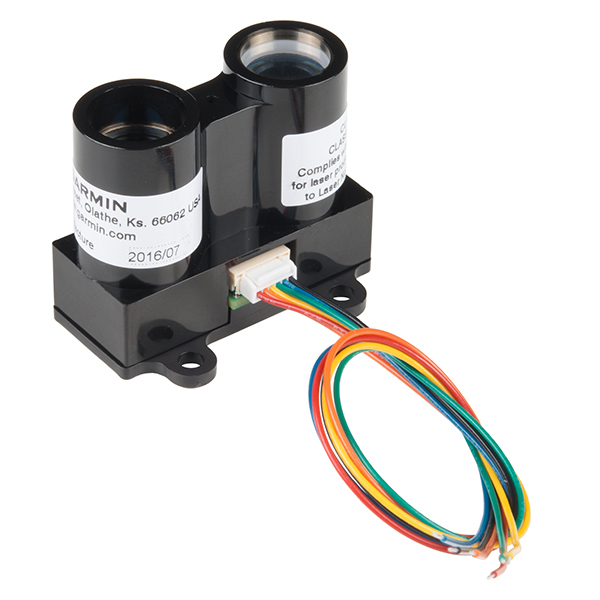
Garmin Lidar Lite V3 - single beam lidar which is used to measure the altitude of the drone over the ground.
Specs:
- Weight: 22 g
- Resolution: 1 cm
- Range: 5 cm to 40 meters
- Update rate: up to 500 Hz
Mounting to the UAV
The sensor is attached to the bottom of the UAV, pointing directly down. Make sure that the field of view cannot is not blocked by cables and other parts of the UAV.
GNSS interference:
- The sensor does mot interfere with GNSS.
Connection
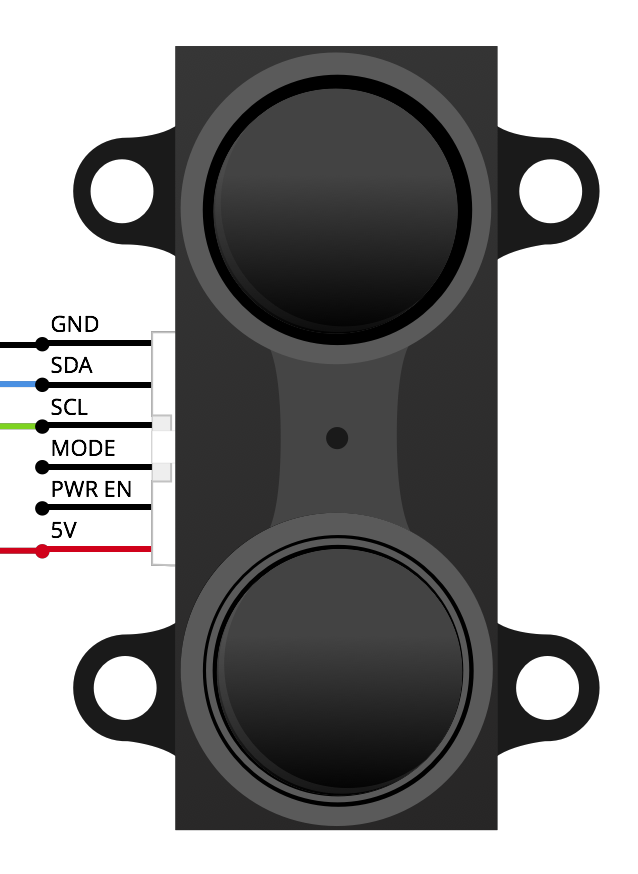
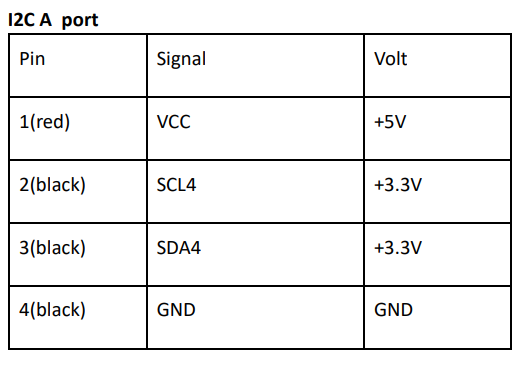
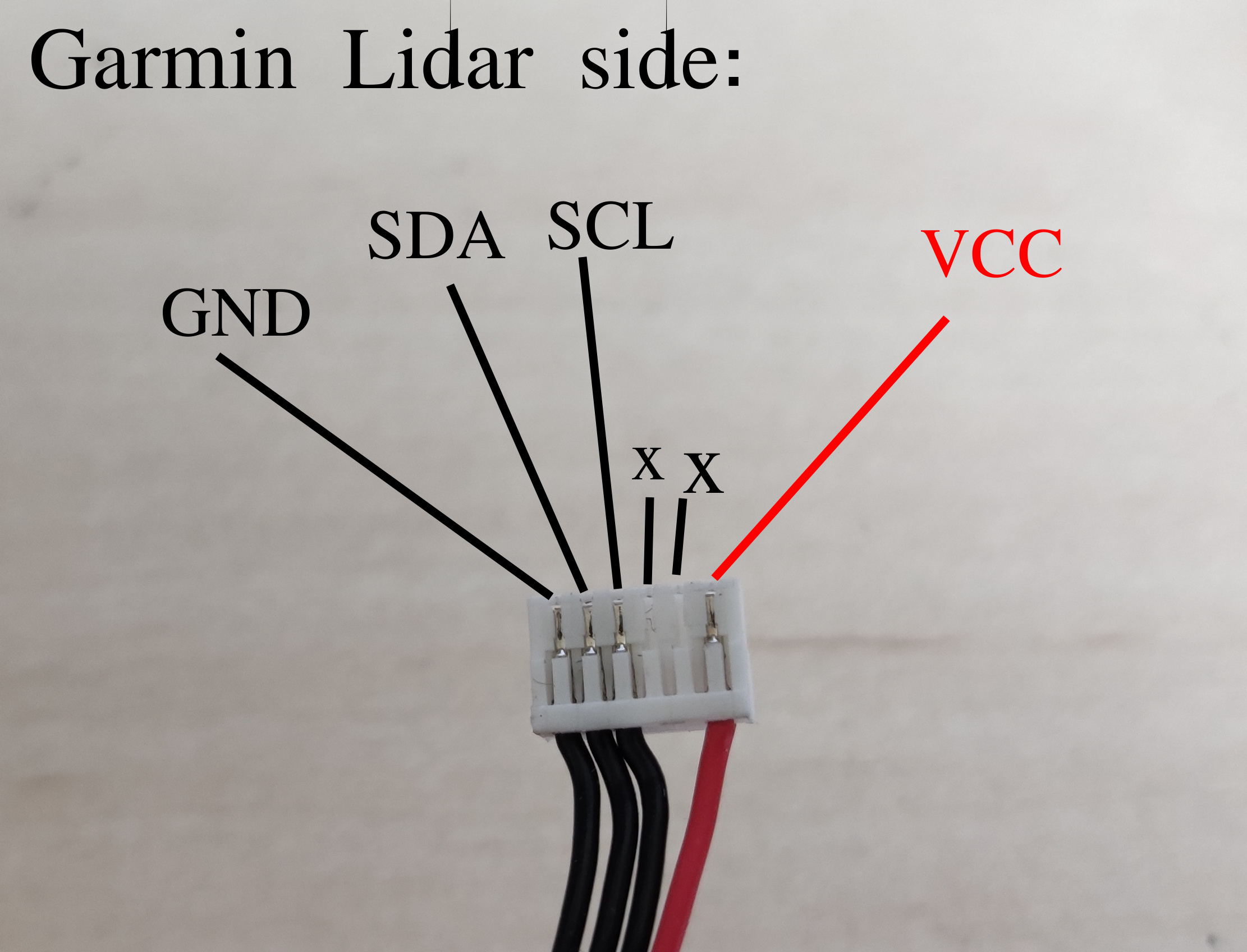
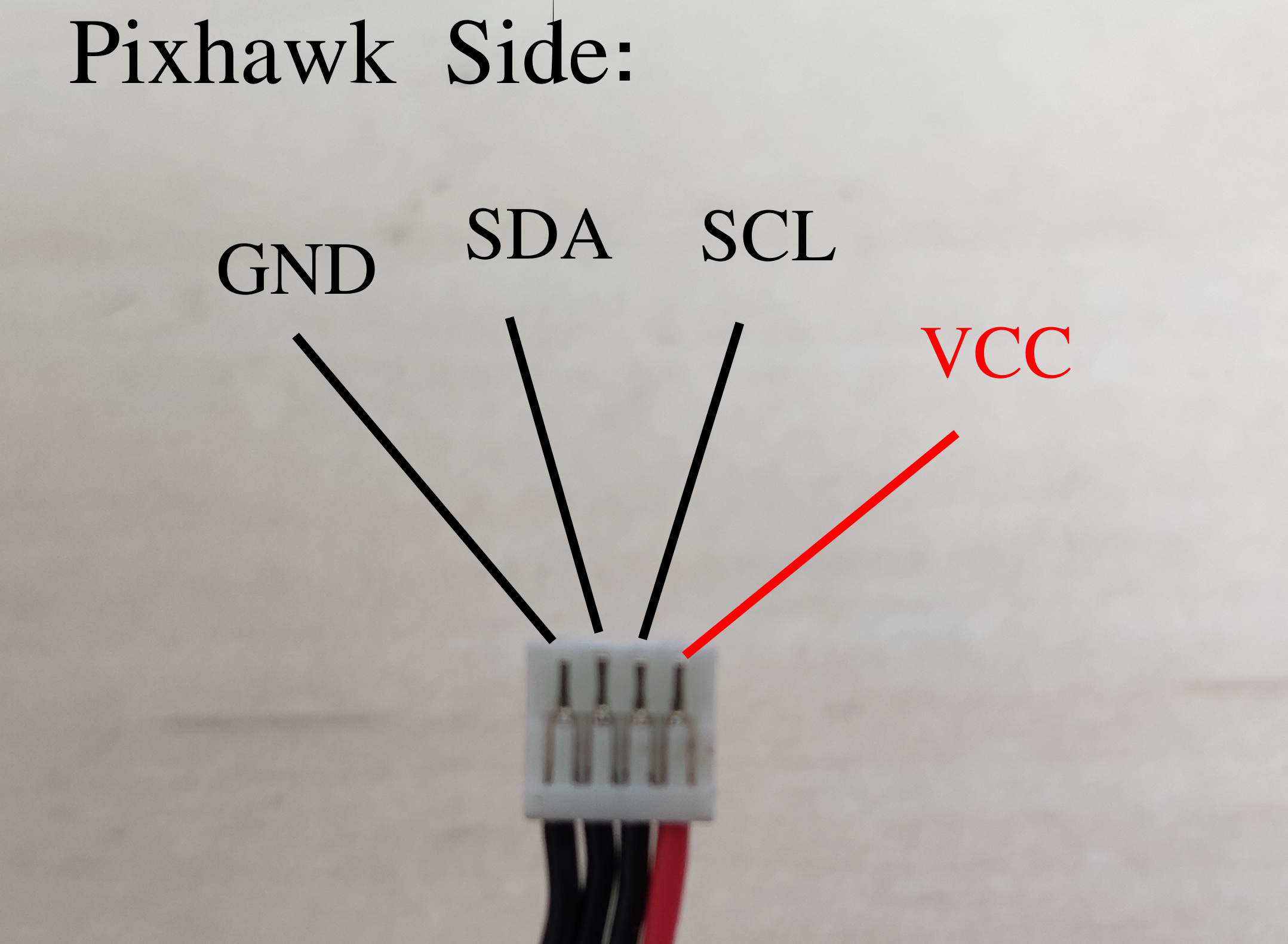
The sensor can communicate over I2C or PWM, where I2C is the preferred interface. Connect the sensor directly to Pixhawk's I2C port.
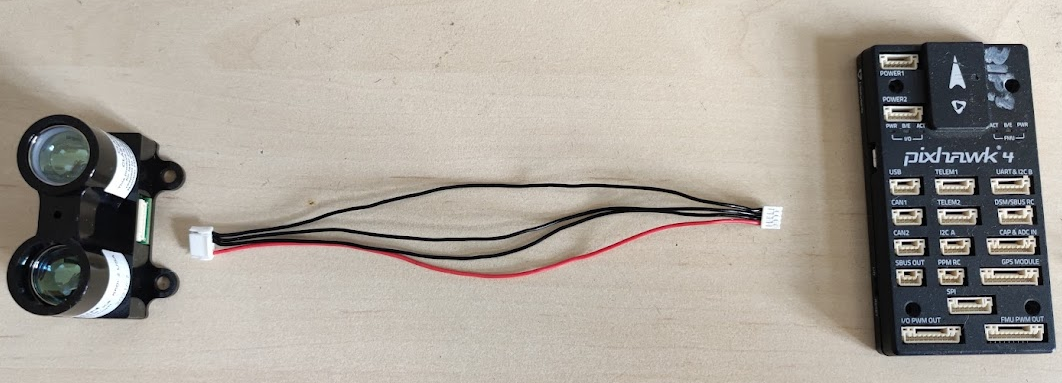
You have to make a 6 to 4 pin JST-GH cable, to connect the sensor according to these pictures. The cable can be made by combining a 6 pin and 4 pin cables which come with the pixhawk, the individual cables can be removed from the connector by carefully lifting the plastic retention cap.
Garmin lidar Pinout and Pixhawk I2C pinouts:
6 to 4 pin JST-GH cable:
Configuration
Prerequisites:
- Pixhawk is connected to the NUC - link to document TODO
- NUC has the MRS system installed - link to document TODO
Configuration in Pixhawk:
- PX4 parameter: SENS_EN_LL40S - set to I2C
- Apply correct SD card config (link to SD card config guide)
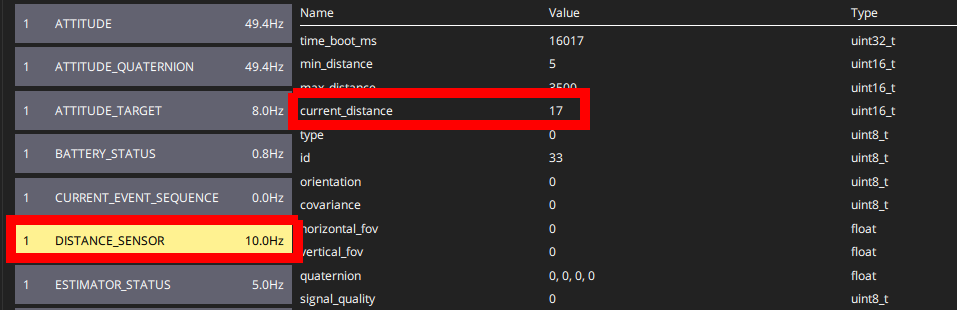
- Use Mavlink inspector in QGroundControl to verify that you are getting messages on the topic DISTANCE_SENSOR and that they contain valid measurements (they display measured height in centimeters)
Configuration in NUC:
- .bashrc variable SENSORS should contain “garmin_down” (.bashrc guide)
- .bashrc variable PIXGARM should be set to “true”
Testing:
- SSH into the UAV while it is powered through the battery (ssh guide)
- call
roslaunch mrs_uav_general mavros_uav.launch- this will run the Mavros node which communicates with Pixhawk - To see if Garmin Lidar Topic is presents, call
rostopic hz /$UAV_NAME/mavros/distance_sensor/garminThis will print out the frequency at which the Garmin Lidar topic is being published, it should be more than 80Hz. **If you get only 10-20Hz, your Pixhawk firmware is not correct ** (it does not include the MRS modifications).

- You can also see if the garmin is properly connected in the MRS_UAV_STATUS window:
